Showing posts with label Tips and Tricks. Show all posts

Thursday, January 30, 2014

Verify Paypal with VCC in Nepal - Step by Step Guide


What is Paypal?
PayPal is a global e-commerce business allowing payments and money transfers to be made through the Internet. Online money transfers serve as electronic alternatives to paying with traditional paper methods, such as checks and money orders.
PayPal is an acquirer, performing payment processing for online vendors, auction sites, and other commercial users, for which it charges a fee. It may also charge a fee for receiving money, proportional to the amount received. The fees depend on the currency used, the payment option used, the country of the sender, the country of the recipient, the amount sent and the recipient's account type.

Does Paypal support Nepal or vice-versa?
Not yet. You can create an account in Paypal but cannot deposit or transfer funds from your account. So it''s useless thinking about creating a Nepali Paypal account.
So is there any way I can use Paypal in Nepal?
Yes, you can. Just create an account using a country that is supported by Paypal and verify it using VCC.
For the list of countries that is supported by Paypal visit - https://www.paypal.com/worldwide/
To get a VCC to verify your Paypal account Visit our page - http://easyearningnepal.blogspot.com/p/get-paypal-verified.html
How to verify Paypal using VCC?
That's quite Simple follow the steps below - (Please Click on the pics to enlarge)

Step 1: Buy a Virtual Credit Card with lowest value.
Step 2: Login to your Paypal account, you will see: Status Unverified Get verified:
 Step 3: Click on Get verified 
This interface will show you to add information of your virtual credit card:
Card type: You choose: Visa.
Card number: You add your Virtual credit card number.
- Expiry date: You add Expiry date of virtual credit card.
Security code: You add CVV2 of virtual credit card.
To get information of virtual credit card, you must login to your VCC account then view card details.
Card number, Expiry date and CVV2
(Some Vendors may provide you these informations about your card directly)
Step 4: Paypal will send to your virtual credit card 4-digit code to make sure it's yours and Paypal will charged 1.95$ or so from your card

 Login to your VCC account, view Transaction History
Copy 4-digit eg -  PP*6133CODE 4029357733 SG , it's 6133.
Step 7: Login to your Paypal account and click on: Confirm my debit or credit card.

  
 Step 8: You will see the form to add 4-digit code.

Paste or type your 4-digit code from Step 6 to here and click Confirm Card.

That's it.....Congratulation! Your Paypal was verified and unlimited! 

Wednesday, January 8, 2014

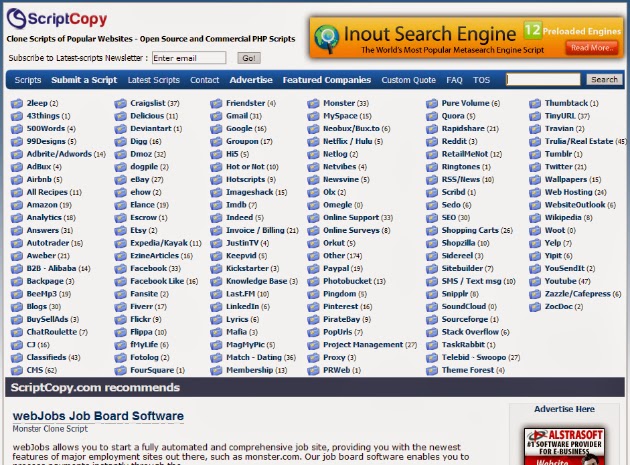
Top Websites To Get Clone Scripts

The below sites are where you can get the most popular clone scripts for youtube, facebook, twitter and many more.

1. Famous Scripts


2. Agriya


Change Your Blogs Theme | Blogger

Today I'm gonna teach you how to change your blogger's theme.(Your Blogspot blog's theme) though most of you might know. In my previous post, I showed you to create a blog with blogger !

Here is a picture of the blog before uploading the theme!


Step 1:- Go to Blogger's Website.

Step 2:- Select your Blog.


Step 3:- After you click on the blog, new windows will appear as the image below. Then,Click on " Template "


Step 4:- Click on Template then another window will appear and you must click on " Backup/Restore "


Step 5:- After you click on " Backup/Restore " , yet another screen will appear in which you should upload the theme(.xml) file.
If you are a web designer or have any knowlege, you can easily create your own theme.
If you don't know then you can get themes in the following sites:
1. Btemplates
2. Bloggerthemes
3. Mybloggerthemes


Step 6:- Download a theme you think is suitable for your blog. Click on " Choose File " and then Upload. I'm gonna choose the theme " Darkpress " which i already have in my computer.

Step 7:- View your blog.

Here is a picture of the blog after uploading the theme.


Thank you for viewing this post.

Friday, January 3, 2014

Websites That Will Improve Your Typing Speed


Everyone using the computer wish to finish their tasks quickly. For doing this, typing plays a vital role because no matter if you are making presentations, doing content writing or even chatting you have to apply your Typing skills everywhere.

Here is a few outstanding websites which will not only increase your typing speed but also let you improve your skills and minimizing typing mistakes.

TypeRacer.com


KeyBr.com


FreeTypingGame.net


TypingTest.com


The Best Sites For Making Your Youtube/Facebook/Twiter Viral

The Below Sites are the best for getting you YouTube views,likes,subscribers,comments and facebook likes,followers and twitter followers,re-tweets.


View2.be

Autosurf : Yes 
Advantages: 
- It has autosurf/auto pilot feature helping to earn lot of coins easily. - Requests are completed fast.
- Helps ranking videos a lot as you can constantly add views.
- Does not require any software for autosurf.

Disadvantages:
- You can only buys views and likes.


U2BViews.com
 Autosurf : Yes
Advantages:
- Has custom comments in low points helps to get the comment you want.
- You can easily boost the views for 50 credits.- Requests are completed fast.
- Helps ranking videos a lot as you can constantly add views.

Disadvantages:
- Minimum views that can be added is 250 views.
- Requires netframework.

Enhanceviews.com
 Autosurf : Yes

Advantages:
- Has Video featuring, Favourites, Suscribers and views features.
- Can easily earn credits- Requests are completed fast.
- Helps ranking videos a lot as you can constantly add views.

Disadvantages:- 
Maximum views that can be added in one video is 350 at one time.
- Requires netframework.


Addmefast.com
 Autosurf : No But imacro extension can be used for autopilot

Advantages:
- This site is really active- Requests are completed fast.
- Helps ranking videos a lot as you can constantly add views.

Disadvantages:
- No views can be added. (only likes,subscribe and favorites)


YouLikeHits.com
 Autosurf : No imacro extension can also be used here for autopilot

Advantages:
- This site is also really active- Requests are completed fast.
- Helps ranking videos a lot as you can constantly add views.
- Has lots of platform to gain points

Disadvantages:
- Sometimes points are not added.

Saturday, December 14, 2013

How to create a Blog | Blogger

Firstly, Go to Blogger Site. You will be re-directed to google account sign in so you must sign in with your google account!


Loading Image


So, you saw my google account better add me in your circles Big Grin
After you login with your google account and password, you will be directed to Blogger Homesite.


Loading Image


So now you click on "new blog " and a new popup for creating blog will appear.


Loading Image


After that popup appears, enter your details like i did in the above image!You can create a blog for anything you like i.e. dota, dota 2, computer tips and tricks, gaming and many more. You can also see template : Choose anyone you like as lyou can change it whenever you want! Now Ultimately, Click on " Create blog! "


Loading Image


Loading Image


After you created the blog the above images will appear. Now Click on your created blog and the below image will appear and you are ready for blogging!


Loading Image

Thursday, November 28, 2013

Top 5 Free YouTube Clone Scripts

As just about everyone knows, YouTube is one of the most popular websites on the Internet. Although there can only be one YouTube, this doesn’t mean that there isn’t plenty of space for similar video sharing websites. As more and more people gain access to faster Internet connections, the popularity of online video will continue to grow. Therefore, if you have an idea for your own video sharing website, there has never been a better time than now to get it up and running.
One of the best things about launching a video sharing website is that you can do so without spending a lot of time on the technical side of things. Thanks to all of the free YouTube clone scripts that are available, you can have your own video sharing website up in a short amount of time, and then spend the majority of your time focusing on more important tasks, such as marketing and attracting visitors.
To get you started in the right direction, I’ve gone through a huge list of the free YouTube clone scripts that are available, and narrowed that list down to what I feel are the top five options:
1) ClipBucket: The reason that ClipBucket is at the top of the list is because it is absolutely packed with features. Although I could spend all day talking about the features this script offers, some of the features that really stood out to me are its SEO friendly URLs, the built-in social networking features, its easy to customize CSS and its flashuploader interface. Best of all, the ClipBucket creator and community are quite active, so new items such as tutorials and plugins are released on a regular basis.
2) PHPmotion: The main feature that landed PHPmotion at the number two spot on this list is its full support for MP3 audio (and the fact that this option can also be disabled). Additionally, the sheer popularity of this script provided a persuasive reason for putting it at number two (this free script has already been downloaded by over one hundred thousand people).
3) VidiScript: If you are looking to aggressively monetize your video sharing website, this may be the script for you. The reason that I say this is because VidiScript gives you the opportunity to sell pre-roll and post-roll ads, which can be a really effective way to increase the income that your video sharing website generates.
4) Video Site Builder: This free script is all about creating niche video sharing websites that will generate traffic from search engines. If you are planning on launching a group of smaller video sharing websites, this is probably the script that you will want to seriously consider using for your group of projects.
5) Seyret Video: If you are using or want to use Joomla in conjunction with your video sharing website, this free Joomla extension makes it very easy for you to do that. Simply download this extension and add it to your Joomla installation, and you will be able to get your own video sharing setup in a short amount of time. Best of all, both Joomla and this extension are absolutely free!

Sunday, November 24, 2013

Remove your last name on Facebook

This method on how to remove or hide last name in Facebook is intended to Indonesian users only. To make use of it, we need an Indonesian Internet Protocol address ( Proxy )  for us to appear on Facebook as Indonesian.

Things needed:
  • Internet Protocol Proxy Address ( should be Indonesian )
  • Mozilla Firefox Browser

Steps Required :

Step 1: Open up Firefox Browser 
Step 2: Go to Settings or Alt + T + O - keyboard shortcut 
Step 3: Click on Advance tab > Network > Settings

Manual Configuration then input any of these proxy servers from Indonesia.

  • 202.78.197.194 port 8080
  • 123.108.14.39 port 8080
  • 182.48.191.83 port 8080
  • 118.96.137.124 port 8080
  • 180.250.82.187 port 8080

Step 4: Check, “use this proxy for all protocols” Done setting up the browser.
Step 5: Login to Facebook In some cases if you have Facebook security enabled ( There will be verification process )
Step 6:Click on wrench / settings icon Account Settings Language Settings > Select Bahasa Indonesia as primary language
Step 7: Edit your name and remove last name.
Step 8: Log out your account
Step 9: Repeat step 1 and 2
Step 10: In network settings, Select no proxy.
Step 11: End. and Set your language back to English.

Credits: Symbianize


Monday, November 18, 2013

Zalgo Text Generator for Facebook

The generator adds symbols on top, beneath and in the middle of your text. Middle is discouraged, because some browsers and system that are not as good with symbols, are going to turn some letters into squares as a concequence and you probably don't want your text to be viewed that way by other people.
Firstly, Go to Zalgo Text Generator then enter your text and edit some settings like below!


The Settings : Edit it as you prefer


Demo : Facebook Status!


Thursday, November 7, 2013

Creating Facebook Smiley Chat Code


Chat Codes Generator lets you send custom Emoticons, Smileys or any other images you like on Facebook Chat. The Codes Generator turns any image from your computer into a special code, when you send this code over Facebook chat, it will appear as your image.


First Go to this Smiley Chat Codes Website then follow the instructions!


Click "Choose File" and select an Image from your computer

Click "Upload Now" and wait

Paste the code to Facebook Chat


Then You will get the codes and just copy it to the facebook chat and send it to your friends,family and other unknown people.